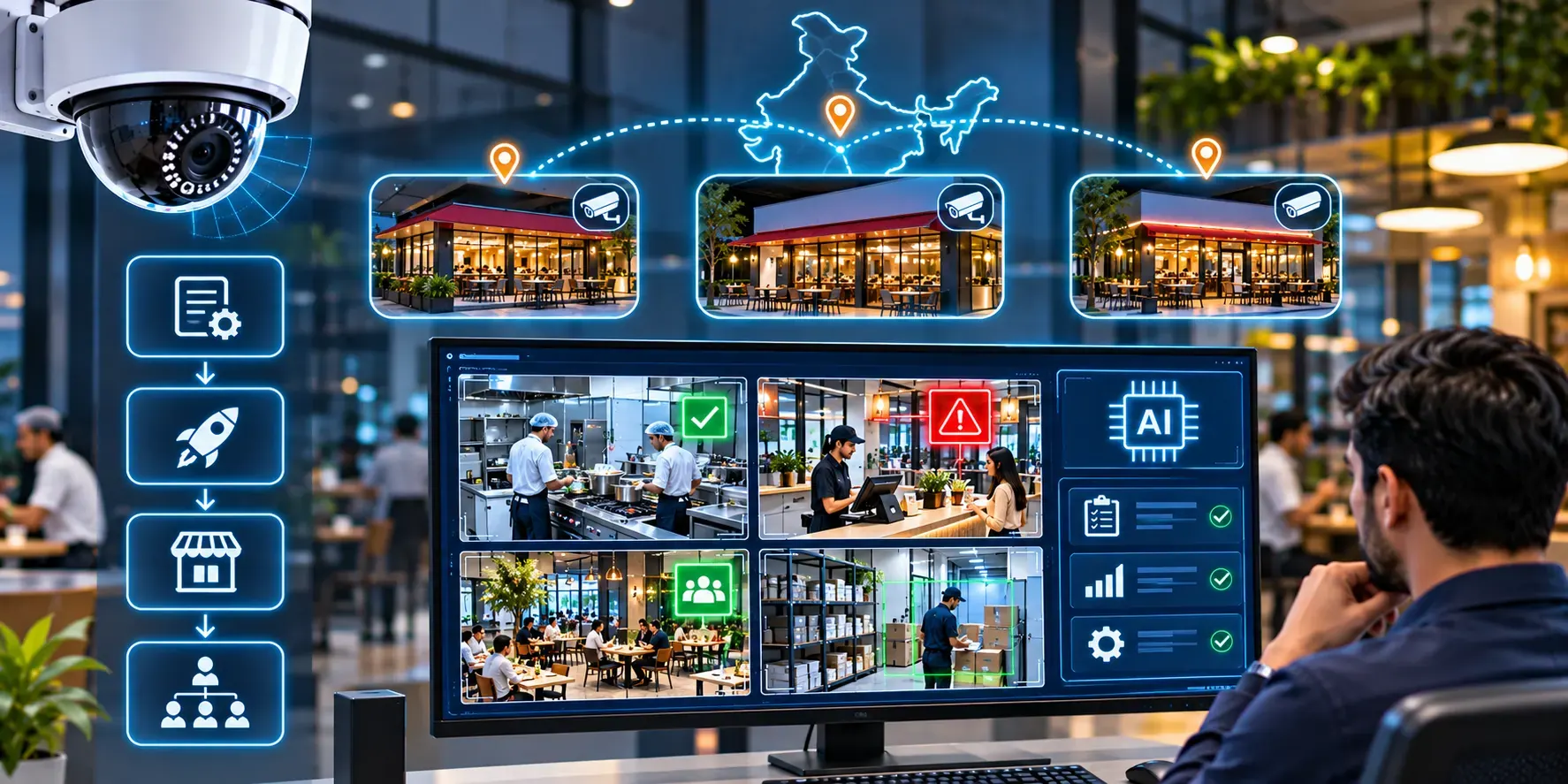
 AI Generated
Rolling AI surveillance out to one restaurant is a project. Rolling it out to fifty outlets is an operating model. The technology is the easy part. The hard part is deciding what every outlet must be watched for, what only some outlets need, who owns the alerts, and how to expand without drowning managers in noise.
This guide is for operators of food chains who are past the “should we?” question and into “how do we scale this without it falling apart?”
Why Chains Need a Different Approach
Growth is pushing more brands into multi-outlet territory. A Redseer report covered in July 2026 expects India’s food services market to grow from around USD 90 billion in FY26 to USD 150 billion by FY31, and notes that the organised segment now accounts for 45-50 per cent of the overall market. A Grant Thornton Bharat and NRAI report found that nearly 94% of restaurant operators plan to expand in smaller cities.
More outlets in more cities means more kitchens that owners and area managers cannot visit often. Consistency becomes the real product, and consistency is hard to enforce by inspection alone. That is the gap restaurant video analytics is meant to close, as discussed in Restaurant Video Analytics: Why “Just Recording” Isn’t Security Anymore.
Step 1: Build a Rule Library, Not a Rule List
Single-outlet buyers write a list of things to detect. Chains should build a library in three tiers.
Tier A: Brand-mandatory rules. Apply to every outlet without exception. Examples: staff PPE and hygiene standards such as caps, and pest detection in kitchen areas. These map directly to brand standards and food-safety expectations.
Tier B: Format-specific rules. Apply by outlet type. A dine-in restaurant, a drive-through QSR, and a cloud kitchen have different risk areas. A cloud kitchen has no customer floor, so rules concentrate on the kitchen, storage, and dispatch area.
Tier C: Outlet-specific rules. Local exceptions such as a particular back entrance, a shared building corridor, or an unusually layout-dependent cash point.
CCTV Patrol supports customisable alert rules for specific SOPs, safety concerns, hygiene non-compliance, and operational delays, so the same platform can carry all three tiers.
Step 2: Standardise Camera Roles Before Rules
Rules fail when camera placement is inconsistent. Before scaling, define camera roles that every outlet must cover, for example kitchen pass, prep area, storage, billing counter, entrance, and back door. Then tag each outlet’s cameras to a role. A rule written for “kitchen pass” can then be applied across outlets without being rewritten per site.
Because CCTV Patrol connects to your existing NVR and IP cameras, this is largely a mapping exercise, not a hardware replacement. If an outlet lacks coverage for a role, you discover it early.
Step 3: Phase the Rollout
Avoid a big-bang launch. A phased approach protects trust with store teams.
Phase 1: Pilot (2 to 3 outlets). Choose outlets of different formats and different manager maturity. Run Tier A rules in observation mode, then live.
Phase 2: Format wave. Roll out to one outlet format at a time, adding Tier B rules. Compare outlets within the same format.
Phase 3: Network rollout. Expand to all outlets, adding Tier C rules where needed.
Phase 4: Optimise. Retire noisy rules, tighten thresholds, and add new rules only when a repeated problem justifies them.
For sizing, compact outlets typically fit Patrol EDGE (up to 6 to 7 cameras), while larger or central sites may suit the ELITE class, both described under product variants.
Step 4: Define the Alert Ownership Chain
An alert without an owner is wasted. Decide in advance:
- Who sees what. Outlet manager for operational alerts, area manager for repeated or serious ones, head office for brand-level patterns.
- What response is expected, and within what time.
- What happens if nobody responds.
CCTV Patrol alerts reach people through WhatsApp, email, mobile notifications, and the dashboard, which suits managers who are rarely at a desk. Keep the first-line audience small, so alerts are acted on rather than ignored.
Step 5: Govern Company-Owned and Franchise Outlets Differently
This is where chains often stumble.
Company-owned outlets. Head office can mandate rules, camera roles, and response times directly.
Franchise outlets. Ownership of cameras and staff sits with the franchisee, so adoption depends on agreements and incentives. Position analytics as protecting the franchisee’s own margin and brand standing, not only as head-office oversight. Agree up front on which alert categories are shared with the brand and which stay with the franchisee. Check local privacy and employment obligations, and confirm requirements with your own legal adviser.
Whichever model applies, document the policy: what is monitored, why, who can see it, and how long records are kept. Staff are more receptive when the purpose is clear.
Step 6: Use Reports to Run the Chain
Automated daily reports from each outlet let managers review exceptions instead of footage. Over time, patterns emerge: the same issue recurring at one location, or a particular shift where compliance slips. For deeper multi-site dashboards, CCTV Patrol offers multi-site monitoring from a single centralised dashboard.
Step 7: Plan for the Cost Conversation
Owners will ask what this costs relative to what it protects. Frame it with outlet-level economics rather than a headline price. Restaurant Security System Cost vs. Value walks through that logic for a single restaurant, and the same reasoning scales across a chain when you multiply by outlet count and by the cost of a single hygiene or brand incident.
Common Chain-Scale Mistakes
- Copying one outlet’s rules everywhere. Layouts and formats differ.
- Turning on too many rules at once. Managers start ignoring alerts.
- No owner for head-office alerts. Insights pile up unread.
- Treating franchisees as an afterthought. Adoption stalls without their buy-in.
- Skipping the feedback loop. Rules that are never retuned decay in usefulness.
A Scaling Checklist
- Define Tier A, B, and C rules.
- Standardise camera roles across outlets.
- Pilot in 2 to 3 outlets of mixed formats.
- Set alert owners, response times, and escalation.
- Draft the monitoring policy for staff and franchisees.
- Roll out by format wave.
- Review reports monthly, and retire or tune rules.
Conclusion
For restaurant chains, AI surveillance succeeds or fails on operating design: a tiered rule library, standard camera roles, a phased rollout, and clear alert ownership. Get those right and AI CCTV for restaurants becomes a quiet, consistent layer of brand control across every kitchen. To see how it could work across your outlets, request a demo.
FAQs
It connects to each outlet’s existing CCTV, applies configured rules for hygiene, SOP, and security events, and sends alerts and daily reports, with all outlets visible from one dashboard.
Partly. Brand-mandatory rules should apply everywhere, but format-specific and outlet-specific rules are usually needed for dine-in, QSR, and cloud-kitchen sites.
No. CCTV Patrol works with your existing CCTV NVR and IP cameras.
Agree in advance on what is monitored, who sees the alerts, and how data is shared, and present analytics as protecting the franchisee’s own margin and reputation.
Configurable rules, multi-site dashboards, real-time alerts through channels managers actually use, and automated reports.
Two to three, preferably of different formats and manager experience levels, before expanding by format wave.
Your cameras already see everything. Patrol makes them understand everything.
Transform surveillance footage into actionable intelligence. Receive real-time alerts, ensure SOP compliance, and protect people, assets, and reputation.